2026-10-25 · 7 min read
Tabletop Rail: Build a Model Railway on Your Table and Ride the Cab
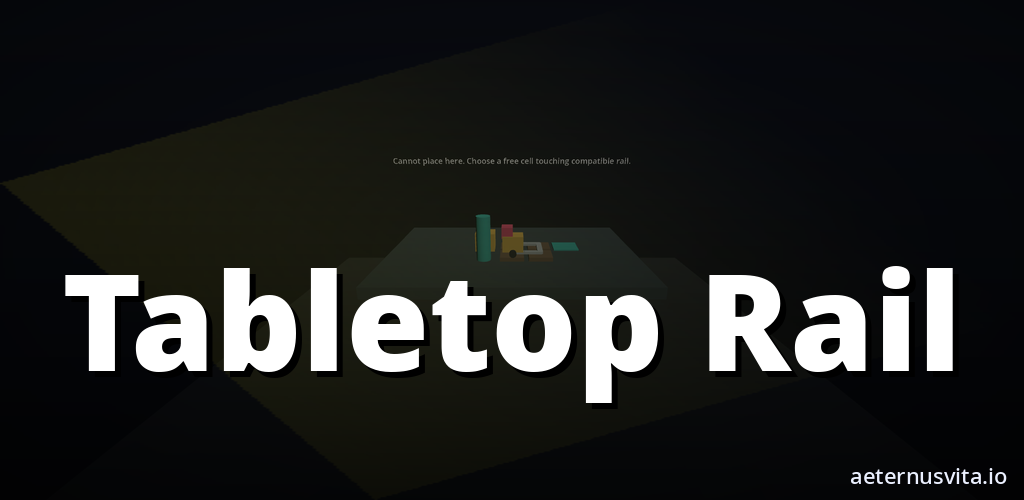
How Tabletop Rail works — snap track, place scenery and ride your layout in mixed reality or VR.
By AeternusVita
“How Tabletop Rail works — snap track, place scenery and ride your layout in mixed reality or VR.”
Tabletop Rail turns your room or your virtual table into a model railway workshop. You snap track together on a board, add stations and scenery, put trains on the line and then ride along in a cab view.
This guide explains what Tabletop Rail is, how building a layout works, and who it suits. It is listed as Coming soon on aeternusvita.io. You can get notified from the product page when it is ready.
What Tabletop Rail is
The short description on Play says it in one line: "Snap wooden and model tracks on your table, place scenery, and ride the cab." The subtitle is "Model railway in mixed reality".
Tabletop Rail is a creative sandbox for model railways. You anchor a layout board to a tabletop or to the floor in mixed reality, or you build inside a cosy VR study. You then snap modular track pieces together, dress the diorama with scenery, place locomotives and rolling stock, set the points, and watch the trains run the schedule you laid out.
At any moment you can switch into a comfort-safe cab view and ride along the track you just built. Layouts save locally on your device so you can keep expanding the railway.
It is made by aeternusvita.io. The site lists it as Coming soon. Nothing has been submitted to a store and no release date is set.
The Play copy lists six features:
- Snap-together straights, curves, switches, bridges and tunnels
- Twelve toy and model locomotives with rolling stock
- Four scenery kits: village, mountain, city and winter
- Comfort-safe cab-view ride along your own layout
- Mixed reality tabletop anchor or full VR room
- Save and load layouts locally on the device
Anchoring the board
Every layout starts with the board.
In mixed reality you anchor the layout board to a tabletop or to the floor. Your room stays visible around it, so the railway sits on a surface you already have. The board is the boundary for the track and the scenery.
In VR you build inside a cosy study. The loop is the same either way — laying track, adding scenery and running trains. You are just choosing whether the space around the board is your actual room or a virtual one.
That anchor step is what makes Tabletop Rail a tabletop game in the literal sense. The railway is sized to a table, not to a landscape you walk through.
Snapping track together
Track is modular and snap-together. The Play copy names the set: straights, curves, switches (points), bridges and tunnels.
You pick a piece, place it on the board, and it snaps to the next one. Straights and curves set the shape. Switches let you branch the line and change where a train goes. Bridges and tunnels add height and crossing — a line that goes over another, or through a hill.
Pieces join cleanly so you can close a loop, make a siding or lay a junction without forcing geometry. When a section works, you can keep adding rather than rebuilding. Switches link the build to the running: you set the points, then see what happens when a locomotive reaches the junction. One well-placed switch can give you two different routes from the same loop.
Trains and running a schedule
Once you have track, you place trains.
Tabletop Rail includes up to twelve toy and model locomotives with rolling stock. You can run one engine on a simple loop or fill the board with several locomotives and their carriages and wagons, depending on how much track you have laid.
With trains on the line, you set the points and watch them run your schedule. The trains follow the track you built, take the branch you have set at each switch, and cross bridges or pass through tunnels where you placed them. You are not steering with a throttle the whole time. You set the line and let the railway run, then adjust points when you want a different path.
Dressing the diorama
Track alone is a plan. Scenery makes it a place. You dress the diorama with stations, villages, mountains, trees and miniature figures, grouped into four scenery kits: village, mountain, city and winter.
Village and city kits add buildings and platforms. Mountain brings height around bridges and tunnels. Winter changes the season over the same layout. You can keep scenery spare while you test a junction, then add more as the shape settles and you know which stretch you like to watch from the cab.
Riding in cab view
At any moment you can switch into a comfort-safe cab view and ride along the track you just built.
From the board you see the whole layout. From the cab you see the line as a passenger or driver would — a curve arriving, a bridge coming up, a station passing, a tunnel mouth ahead and then the light beyond it.
The listing calls the cab view "comfort-safe", which points to how the ride is handled so you can watch the railway at its own speed without harsh motion. You can drop into the cab for one loop to check clearances and sight lines, then return to the board to move a piece of scenery or adjust a switch.
Saving your layout
Layouts save locally on your device so you can keep expanding your railway. You lay a loop, save it, come back, add a siding, or try a second loop that crosses over on a bridge. The Play copy lists this as "save and load layouts locally on the device" — a file on your headset rather than a cloud slot.
Mixed reality or VR
In mixed reality the board is anchored to a tabletop or floor and the room around it stays visible. In VR the same build happens inside a cosy study.
Some people will want the railway on their actual table, with the room as the backdrop. Others will prefer the consistency of a virtual room where light and space do not change. The listing says both modes are there — "mixed reality tabletop anchor or full VR room" — so you are choosing how the space appears, not a different game.
The brief lists the targets as Meta Quest, Android XR and Web, with hosted builds for testing and no store submission yet. All versions are in development and Coming soon. As with any mixed reality tabletop game, keep enough clear space around the surface you use.
Who Tabletop Rail suits
Tabletop Rail suits people who like making things and then watching them work.
If you enjoy model railways, the loop will feel familiar. You choose a surface, snap track together, set points, add stations and small scenes, place locomotives and rolling stock, run the schedule, and ride the cab. The emphasis is on building and running rather than on levels or scores. There is no campaign to clear before you can build — you can start with a simple oval and one engine, or use more of the twelve locomotives as the board grows.
Because the railway is table-sized and the cab view is comfort-safe, sessions can be short — lay a few pieces, run a loop, save — or longer when dressing a scene. No age band is named in the listing, so no store rating has been assigned yet.
Coming soon: get notified
Tabletop Rail is Coming soon. No release date, price, ratings or player counts are given yet because nothing has been submitted or released.
The best way to keep track is to open Tabletop Rail on aeternusvita.io and use the notify option on that page. The listing there matches the Play copy used here: snap-together straights, curves, switches, bridges and tunnels, up to twelve toy and model locomotives with rolling stock, four scenery kits for village, mountain, city and winter, a comfort-safe cab view along your own layout, a mixed reality tabletop anchor or a full VR room, and layouts that save and load locally.
You can also hold the short description in mind while you wait: "Snap wooden and model tracks on your table, place scenery, and ride the cab."
Tabletop Rail is made by aeternusvita.io. Lay the track, set the switches, and ride your own miniature line.
Related articles
2026-10-25 · 7 min read
Bot Garrison: How Tabletop Tower Defence Works on a Painted Table
What Bot Garrison is and how its tabletop tower defence, crafting and creature evolution work.
Read article →2026-10-25 · 6 min read
Color Tunabee: Colour a Page and Watch Your Colours Walk the Room
How Color Tunabee turns a hand-coloured page into a character that walks your room in those colours.
Read article →2026-10-25 · 7 min read
Dead Biomes: how a VR wave shooter works across five shelters
How Dead Biomes works — choose a shelter, scavenge and fortify, fight the wave, then open story with a minigame.
Read article →